Choosing the right VPS (Virtual Private Server) can dramatically affect your website’s speed, stability, and long-term scalability. Pick the wrong one, and you’ll fight slow load times, crashes during traffic spikes, or unnecessary costs. Pick the right one, and your site feels fast, reliable, and future-proof.
This guide walks you through how to choose a VPS based on real-world website needs, not marketing buzzwords.
1) Start with your website type (it determines everything)
Your website type is the single most important factor when choosing a VPS.
Common website categories:
- Blogs & portfolios
Mostly read-only traffic, light database usage. - Business websites
Moderate traffic, contact forms, page builders, plugins. - WooCommerce / Membership / LMS
Heavy PHP execution, database writes, logged-in users. - High-traffic content sites
Strong caching needs, high bandwidth. - Custom apps / SaaS
Predictable load, background jobs, APIs.
Key insight:
Dynamic websites (e-commerce, dashboards, logins) stress CPU and RAM, while static content stresses bandwidth and caching.
2) Pick the right CPU and RAM (don’t guess—map it to load)
CPU controls how many “things” your server can process at once (PHP requests, database queries, backgrCPU (vCPU)
CPU determines how many simultaneous requests your server can process:
- PHP execution
- Database queries
- Cron jobs
- Background tasks
RAM
RAM is critical for:
- PHP workers
- MySQL/MariaDB buffers
- Object caching (Redis, Memcached)
- Plugin-heavy WordPress setups
Practical recommendations:
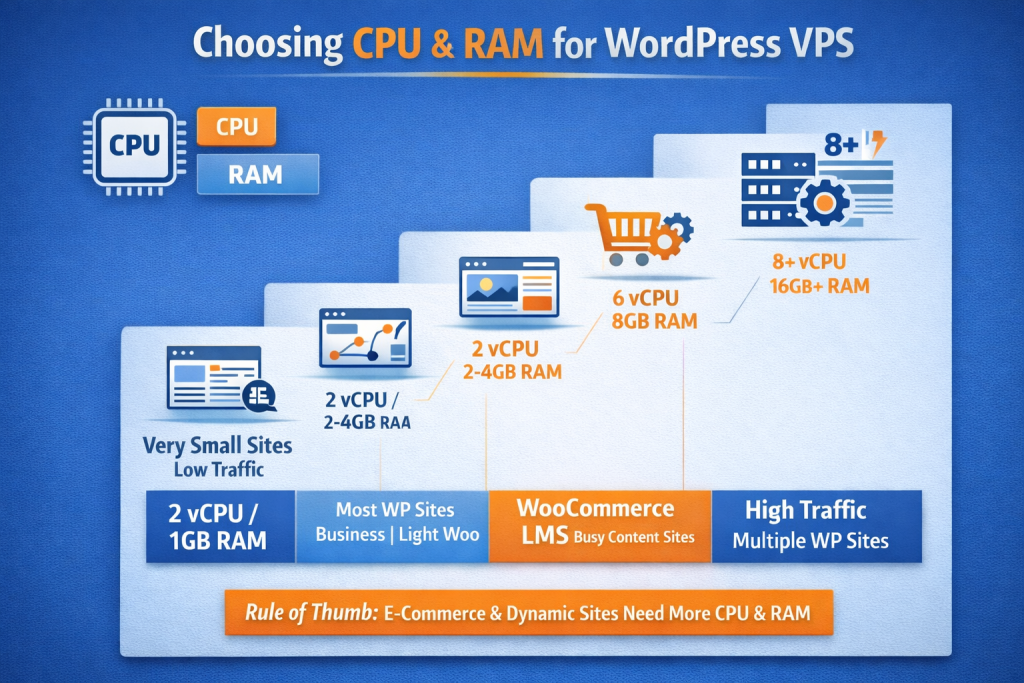
| Website Type | CPU | RAM |
|---|---|---|
| Small blog / portfolio | 1 vCPU | 1–2 GB |
| Business WordPress site | 2 vCPU | 2–4 GB |
| WooCommerce / LMS | 4 vCPU | 8 GB |
| High-traffic / multi-site | 8+ vCPU | 16+ GB |
Rule of thumb:
If WordPress admin feels slow, or checkout/login stalls, you’re likely RAM-constrained, not CPU-limited.
3) Storage matters: NVMe beats “more GB” for WordPress
Disk performance directly affects:
- Database reads/writes
- Cache generation
- Plugin updates
- Backup creation
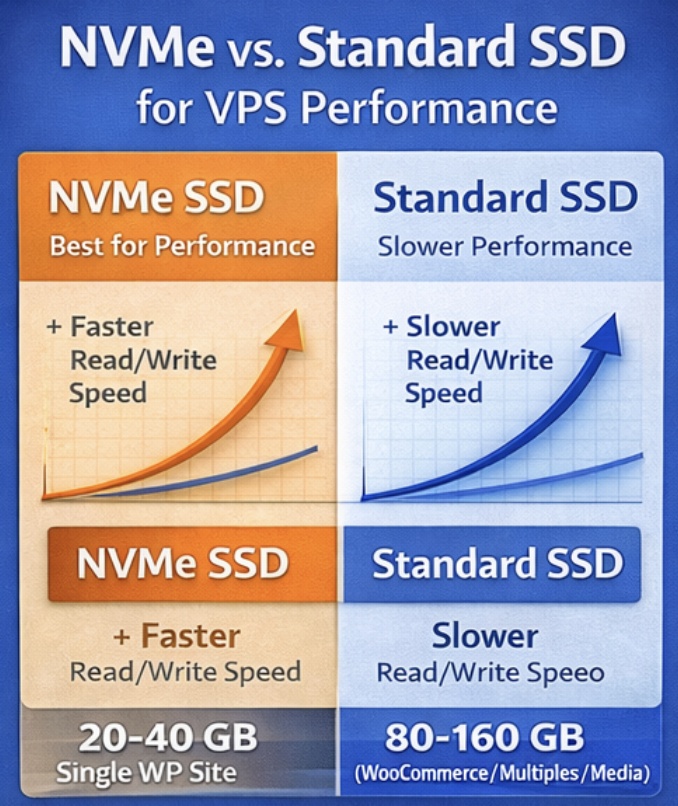
NVMe vs Standard SSD
- NVMe SSD: Extremely fast I/O, ideal for WordPress and databases
- Standard SSD: Acceptable, but slower under load
Recommended storage sizes:
- 20–40 GB NVMe → single WordPress site
- 80–160 GB NVMe → WooCommerce, multiple sites, media-heavy content
Tip:
Don’t overbuy disk. Offload images and videos to a CDN or object storage instead.
4) Location + network: pick where your visitors are (and use a CDN)
Latency affects user experience more than raw CPU speed.
Choose your VPS location based on:
- Where most of your visitors live
- Compliance or data residency requirements
Bandwidth considerations:
- Check monthly transfer limits
- Ensure burst capacity during traffic spikes
- Look for basic DDoS protection
For global audiences, pair your VPS with a CDN (Cloudflare, Bunny, etc.) to reduce load and latency.
5) Managed vs unmanaged: Be honest about your time
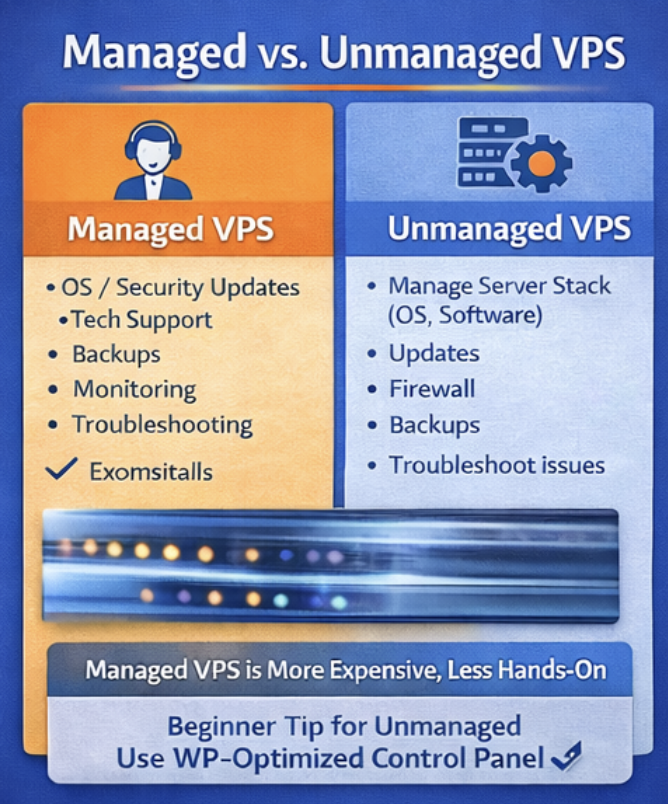
Unmanaged VPS
You handle:
- OS updates
- Security patches
- Web stack configuration
- Monitoring & backups
Best for: developers, sysadmins, technical users
Managed VPS
Provider handles:
- OS & security updates
- Monitoring & alerts
- Backups
- Support during failures
Best for: businesses, agencies, non-technical owners
If downtime costs money, managed hosting often pays for itself.
6) Don’t skip these “boring” features (they prevent disasters)
Make sure your VPS plan includes (or supports):
- Automated backups (daily at minimum)
- Snapshots (fast rollback before updates)
- Easy scaling (upgrade CPU/RAM without rebuild)
- Uptime/reliability (look for clear SLA + reputation)
- Security basics (firewall, SSH keys, optional WAF)
- Monitoring/alerts (CPU, RAM, disk, downtime)
A simple way to choose your first VPS plan
If you’re unsure, start here:
- Most websites: 2 vCPU + 4 GB RAM + 40–80 GB NVMe
- Add a CDN and page caching
- Monitor for a week, then scale if needed
This avoids the most common mistake: buying too small, then blaming WordPress.
Final checklist before you buy
- VPS region close to visitors
- NVMe storage
- Enough RAM for your plugin stack
- Backups + snapshots
- Clear upgrade path
- Security + basic DDoS protection
Purchase your vps at Raksmart today! https://www.raksmart.com/cps/6502